role
Product Designer (scoping, research, interaction, visual)
Outcome
3x
USER ADOPTION
One rule now covers hundreds of connections at once.
66%
continued using alerts
Fewer false positives kept the alerts worth trusting.
5→2
Minutes to set one up
One reusable rule instead of one per connection.
Overview
When data stops flowing, you should be the first to know. Not the last.
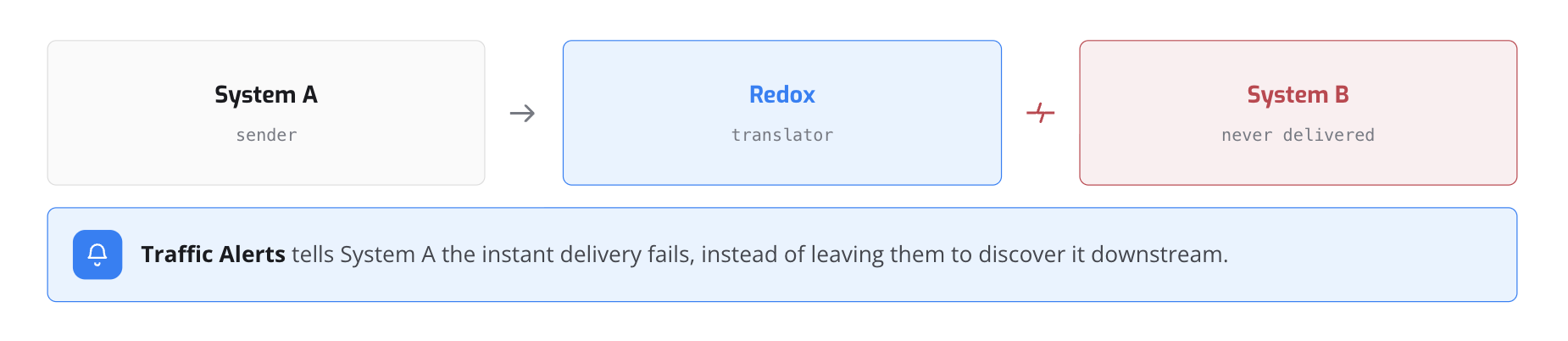
Redox moves healthcare data between systems that all speak different languages. When a message fails to reach its destination, the team that sent it is often the last to find out.
I designed Traffic Alerts so the sending team hears the moment a stream breaks, and can set that up once, not once per connection.
Problem
Teams watched hundreds of live connections but had no scalable way to know when one broke.
Alerts existed, but each had to be built by hand for a single connection, so most were never set up. And the ones that were fired on weekends when clinics were closed, so people muted them.
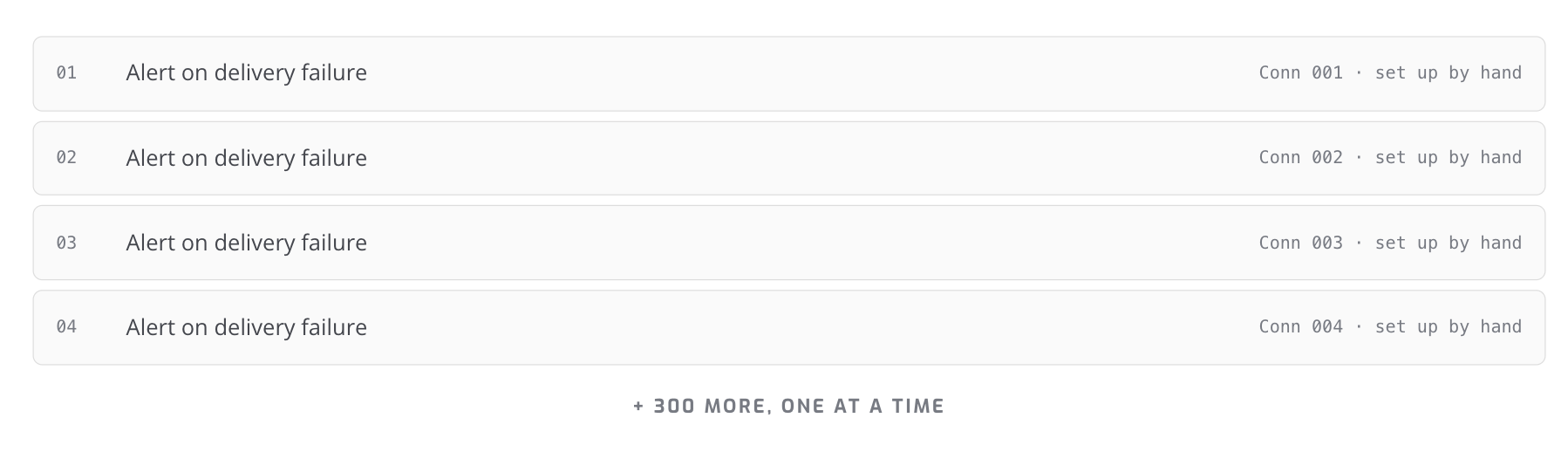
The same alert, set up by hand for every single connection. People wanted alerts; what stopped them was doing this hundreds of times.
What I learned
Customer feedback revealed three recurring problems:
01
Too slow
Users sometimes needed alerts within minutes, but the existing timeframes didn’t allow for that.
02
Too rigid
Users needed more control over when alerts ran, including weekends, holidays, and different schedules.
03
Too repetitive
Setting up the same alert across multiple data streams took too much time.
Together, these issues made alerts harder to use as customers scaled.
Design
The original model required users to repeatedly configure alerts across individual data streams.
For customers managing hundreds of streams, a simple task could turn into hundreds of repeated actions.
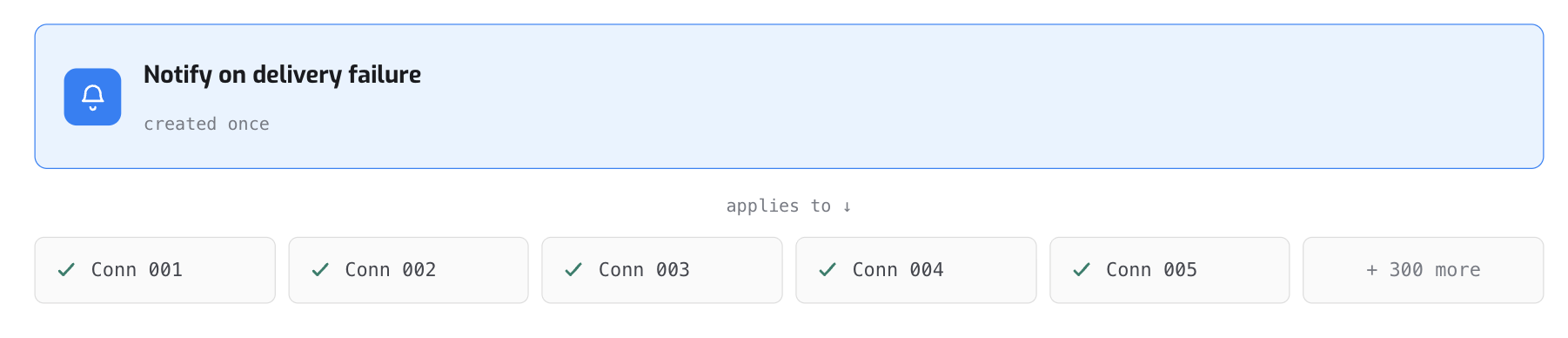
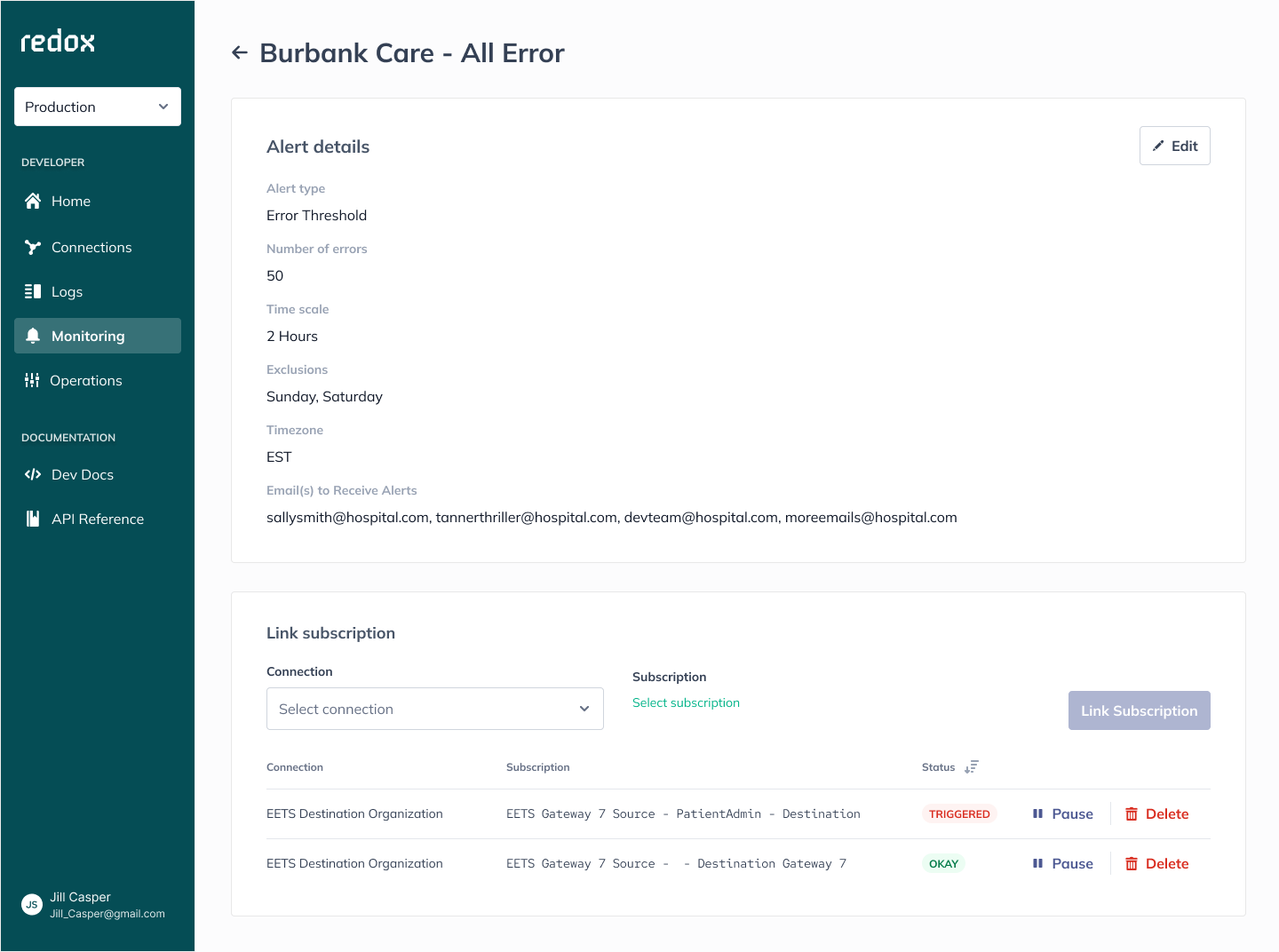
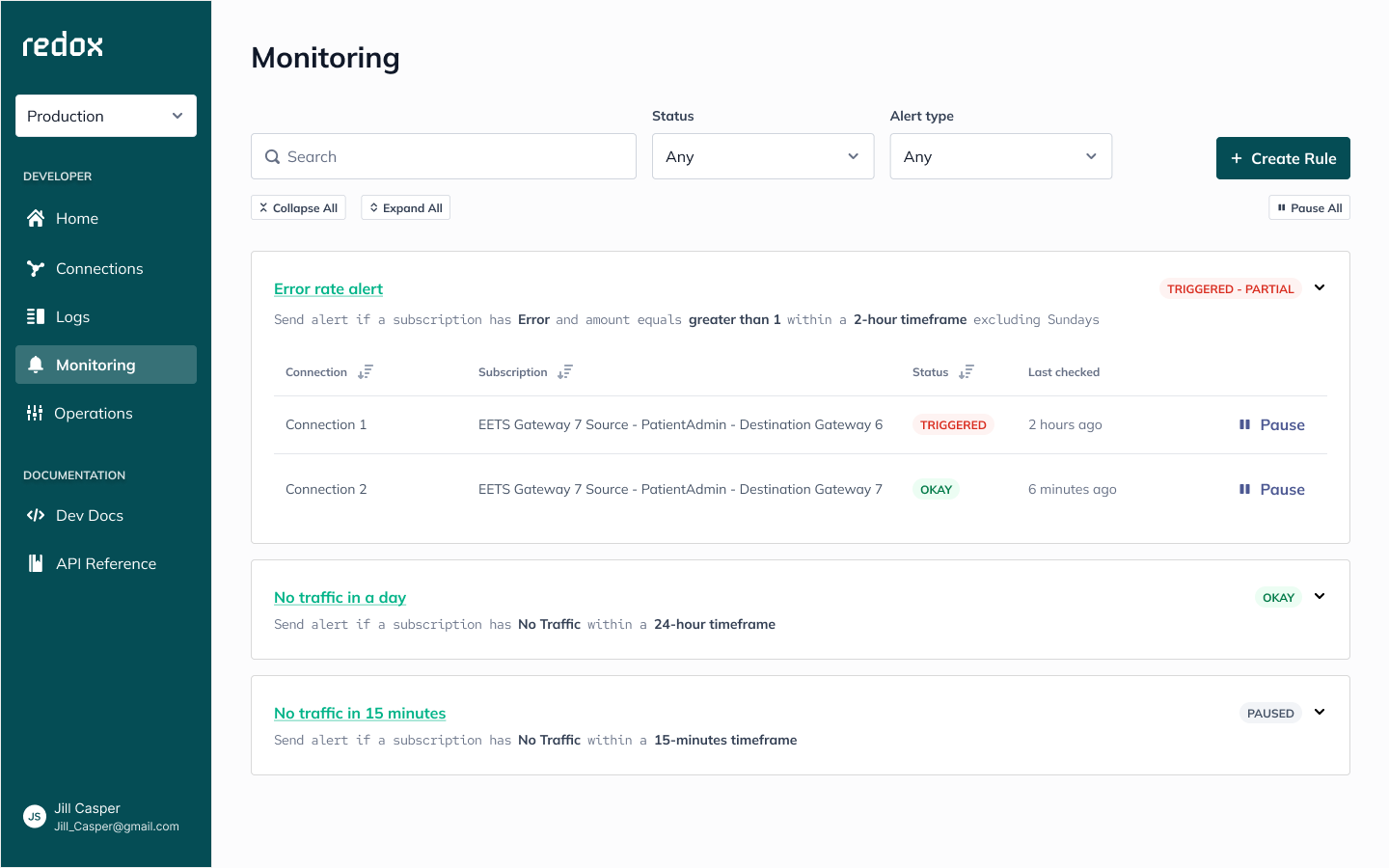
I redesigned the setup model so one alert could apply across multiple streams at once.

One rule created once, applied across every linked stream
Early alerts followed a one-size-fits-all model. Fixed timeframes and limited flexibility meant alerts could arrive too late, too soon, or when no traffic was expected at all.
I redesigned the rules to better reflect how customers actually operated.
Skip days
Exclude weekends, holidays, or other days when traffic isn't expected.
Custom timeframes
Set shorter monitoring windows or align alerts with business hours.
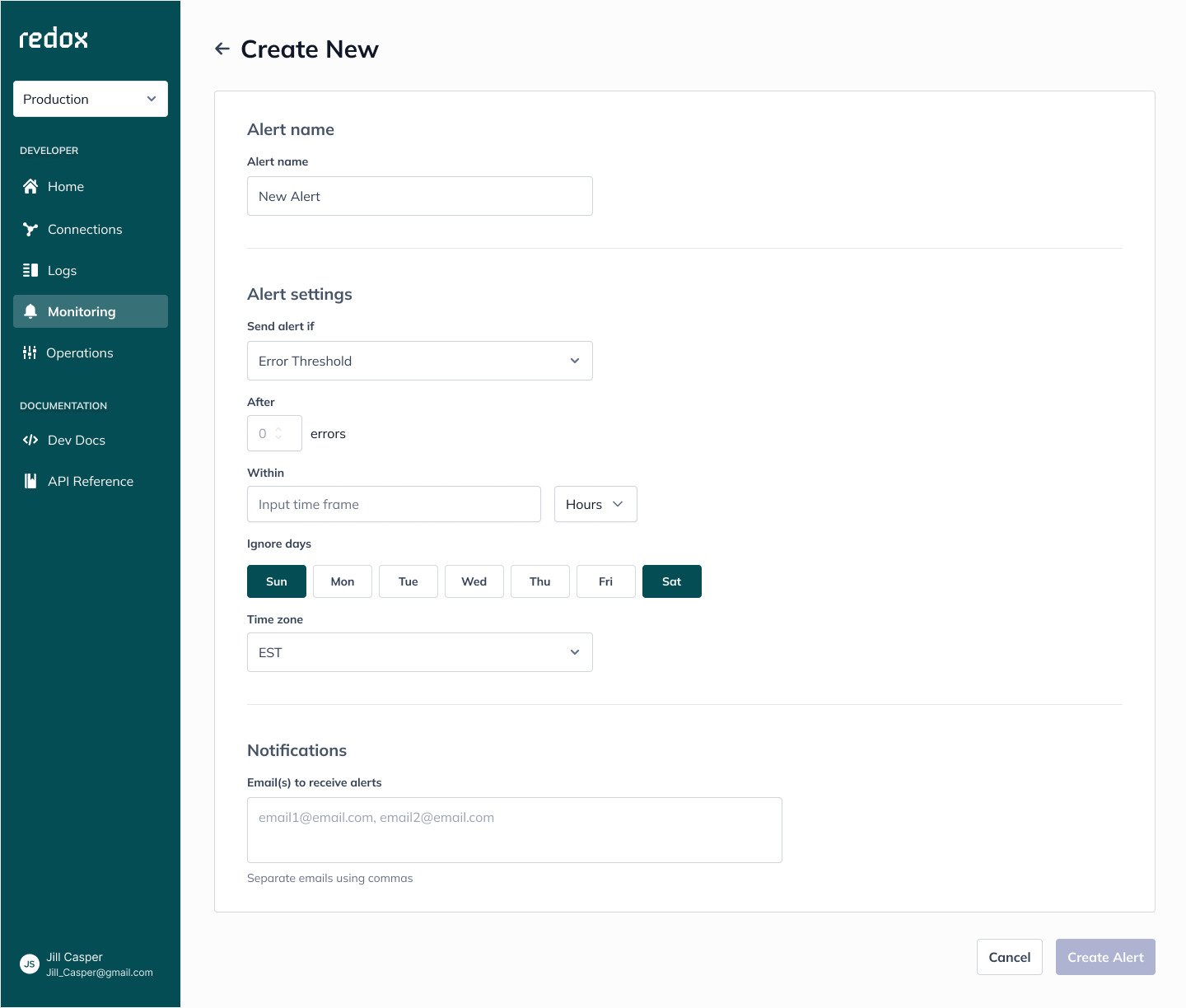
Skip days, the rule follows the customer operating week.
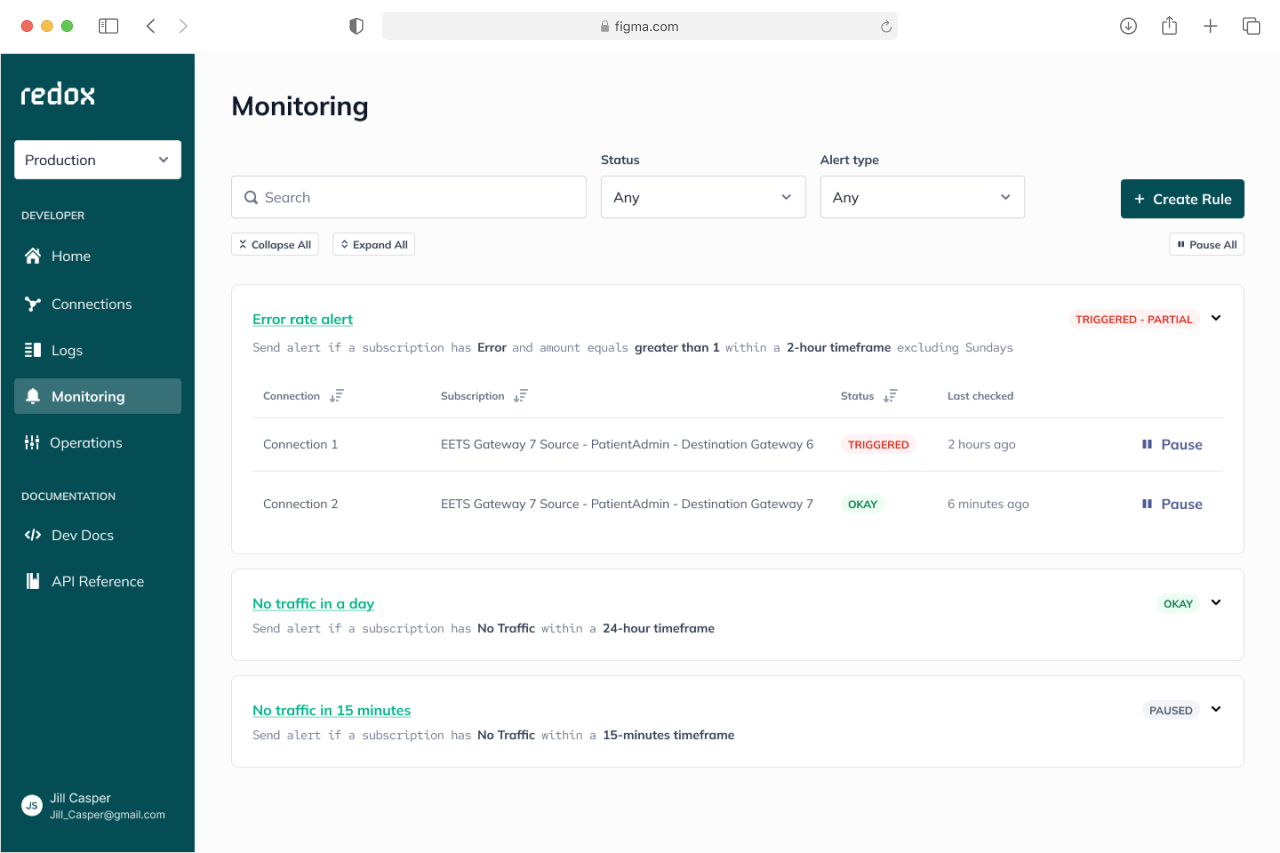
Setup screen, timeframe and ignore days configured in one pass.
The result was an alert system that adapted to customers' workflows instead of forcing customers to adapt to it.
impact
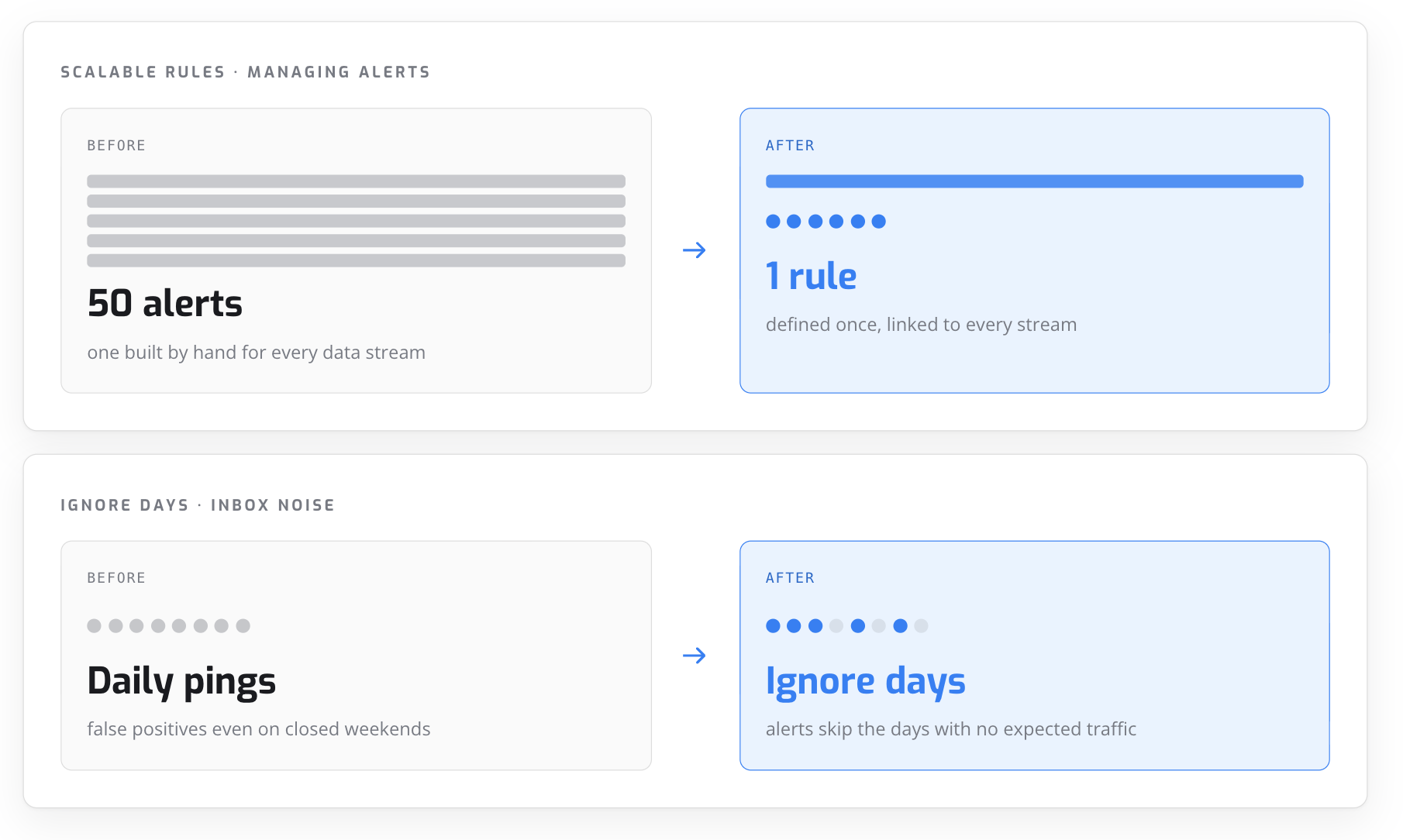
Put next to the old experience, both changes do the same thing: they take something users had to fight and make it fade into the background.
Side by side: duplicate alerts become one manageable rule, and false positives disappear with scheduled alert days.
Scalable rules reduced duplicate alert configurations, while ignore days prevented irrelevant weekend notifications. Together, these improvements increased trust by ensuring alerts were both easier to manage and more relevant.
Reflection
Once Traffic Alerts reached customers, real usage revealed needs that weren't visible at launch. Those patterns became the foundation for the next iteration.